

Interactive segmentation
Interactive segmentation returns the mask of an object that the caller marks: a point on the object, a box around it, or a set of positive and negative clicks. Each mark gives exactly one object. Typical uses are click-to-select in annotation tools and image editors, and pipelines that already know where the objects are, for example boxes from a detector. To find every instance of a concept without marking each one, see Concept segmentation.
Mark objects with points
Section titled “Mark objects with points”A point marks one location on an object and returns one mask for that object, the best of the model’s candidates. A call to POST /v1/segment can carry many points: it returns one instance per point, in the order of prompts, and the image is encoded once for all of them. A point is always a positive mark, because a lone negative point selects nothing. Negative points belong to refinement, where they trim a mask (see Refine one object with clicks).
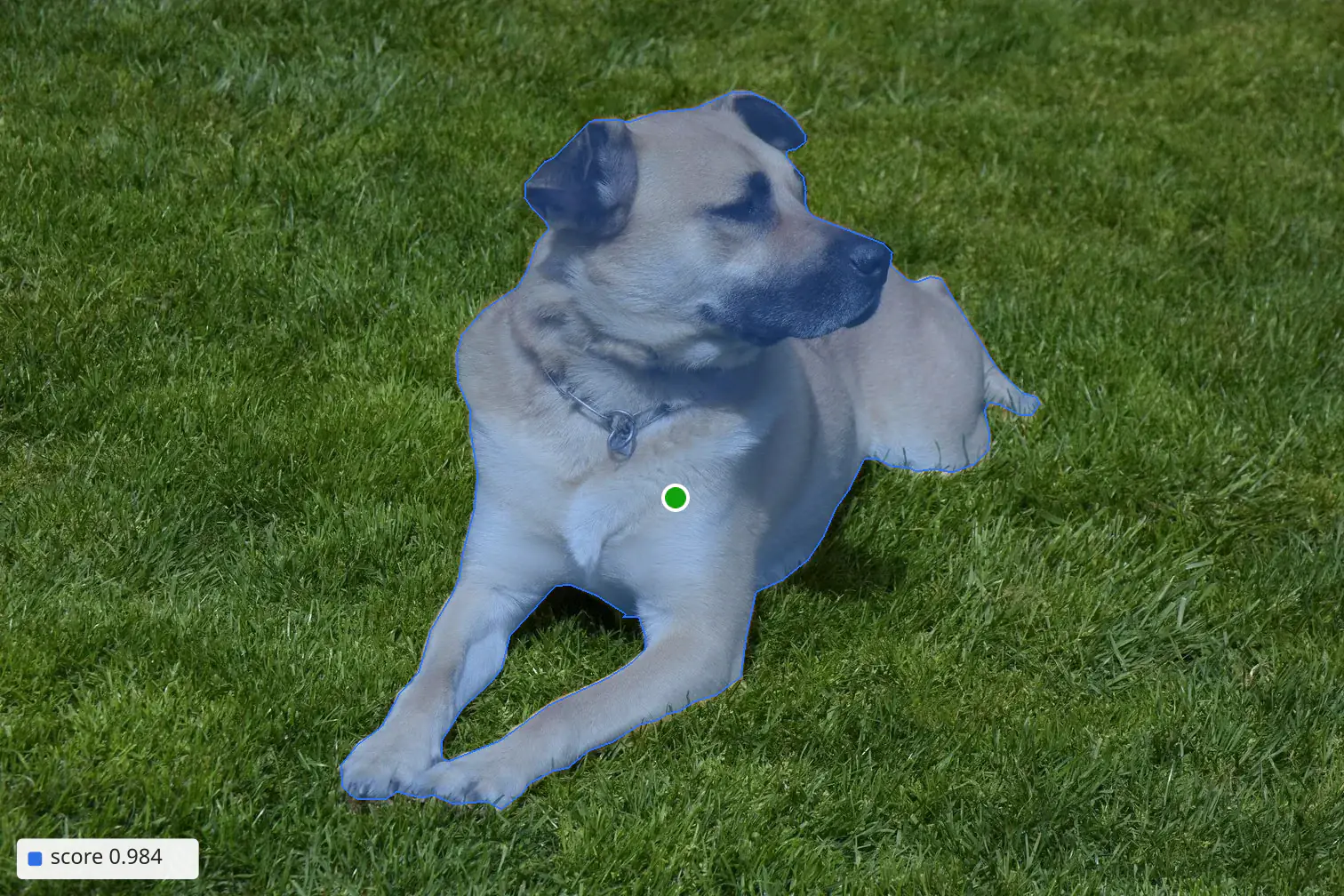
sam-lite: recorded Playground result for one positive click (green dot). The image is the result of a /v1/refine call with points; the score is the score of the single instance.
With sam3, points can share a call with text prompts and exemplar boxes. Each point still returns exactly one instance, without a label. filter, nms and options.maxInstances apply to the text and exemplar instances only, and exemplar boxes never affect points. For example, a point on a car together with the text prompt person returns the car and every person in the image.
Mark objects with boxes
Section titled “Mark objects with boxes”With sam-lite, a box returns the mask of the object inside it. Boxes and points can be mixed in one call, and each prompt gives one instance. sam-lite does not use positive: a box always marks the object, and a point is always positive.
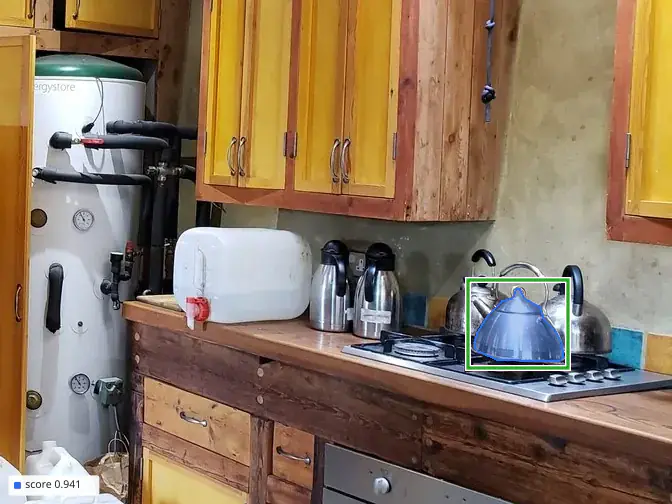
sam-lite: recorded Playground result for one box (green outline), cropped to the surroundings of the box. The image is the result of a /v1/refine call with box; the score is the score of the single instance.
With sam3, a box in POST /v1/segment is an exemplar: it returns the boxed object together with the objects that look like it (see Exemplar boxes). To get only the boxed object, send the box to POST /v1/refine, as in the next section.
Refine one object with clicks
Section titled “Refine one object with clicks”POST /v1/refine segments or refines one object from positive and negative points, optionally with a box. A positive point marks the object, and a negative point marks what to leave out. A call needs at least one point or a box and accepts up to 20 points. It has interactive priority with a 2 second deadline. sam3 is the default model; sam-lite takes the same body.
The whole call is one decode for one object: the points and the box are inputs of the same pass, so a call is billed once, whatever the number of points (see How SAM calls are billed). By default the response holds the best mask, as a polygon. options.multimask returns up to 3 candidate masks instead, which helps when one click is ambiguous, for example a click on a shirt that could mean the shirt or the person.
A typical sequence: a box around a car with one positive point on it marks the car. When the mask spills onto a neighbouring object or the background, the next call adds a negative point there, and that area leaves the mask.
An editor sends the full set of clicks with every call: the endpoint keeps no state between calls. While the image encoding stays cached, repeated calls on the same image are fast and pay no encoding fee.
Output options
Section titled “Output options”The default output is a polygon in image pixels. Pixel masks, the polygon tolerance and fragment and hole cleanup are options: options.defaults and prompts[].options in POST /v1/segment, and options.output and options.cleanup in POST /v1/refine. Every point and box prompt is an object prompt, so it is always returned and filter does not apply to it. See Post-processing.
Supported models
Section titled “Supported models”sam3 |
sam-lite |
|
|---|---|---|
| Model | SAM 3 | SAM 2.1 Hiera-S |
Marks one object in /v1/segment |
Point | Point or box |
A box in /v1/segment |
Exemplar: returns look-alikes | The object inside the box |
| Text prompts in the same call | Yes | No |
/v1/refine |
Points and an optional box; up to 3 candidates | Points and an optional box; up to 3 candidates |
| List price (credits) | 0.5 per image encoding + 0.02 per point in /v1/segment, or 0.02 per /v1/refine call |
0.2 per image encoding + 0.01 per point or box in /v1/segment, or 0.01 per /v1/refine call |
| Pool | Paid: billed from the balance | Free: the first 1,000 calls per UTC day after the first top-up, then billed from the balance |
| Recorded processing time | About 390 to 560 ms (recorded concept-prompt calls) | About 180 ms |
| Pick when | The same call also needs text or exemplar prompts, or the image is also segmented by concept with sam3 |
Cost and latency matter most, and every object is marked by the caller |
Both models use the image encoding cache: a /v1/refine call right after a /v1/segment call on the same image with the same model normally pays no image encoding. See Billing. For how each model produces these results, see How it works for sam3 and How it works for sam-lite.
Example call
Section titled “Example call”One click on the dog in the first figure, sent to POST /v1/refine with sam-lite:
curl https://api.stack.foldbun.com/v1/refine \ -H "Authorization: Bearer $FOLDBUN_API_KEY" \ -H "Content-Type: application/json" \ -d '{ "model": "sam-lite", "image": { "id": "img_3b73d4112efca712359a1b2c89922b8494fac4a8f0b033c4dfc5205c3ec95b12" }, "points": [{ "x": 760, "y": 560, "positive": true }] }'The response is abridged: the polygon ring is shortened.
{ "id": "call_01a1913c-4de0-7f15-afbd-d26a0d0c347f", "model": "sam-lite", "image": { "id": "img_3b73d4112efca712359a1b2c89922b8494fac4a8f0b033c4dfc5205c3ec95b12", "width": 1512, "height": 1008, "bytes": 378383, "contentType": "image/jpeg" }, "instances": [ { "score": 0.9844, "bbox": [382, 102, 1171, 912], "area": 351204, "polygon": [ { "outer": [602, 103, 771, 131, 910, 224, 1096, 421, 1170, 633, 1051, 811, 904, 911, 612, 905, 441, 801, 383, 583, 436, 301, 522, 168] } ] } ], "cache": "miss", "imageFee": 0.2, "cost": 0, "balance": 0, "timing": { "queueMs": 0, "processingMs": 186 }, "billing": { "lines": [ { "unit": "encode_image", "quantity": 1, "unitPrice": 0.2, "amount": 0.2, "waived": false }, { "unit": "refine", "quantity": 1, "unitPrice": 0.01, "amount": 0.01, "waived": false } ], "total": 0.21, "charged": false, "pool": "free", "allowance": { "used": 1, "limit": 1000 } }}Reading the response
Section titled “Reading the response”instancesholds one entry: the mask of the dog. A refine response has nopromptand nolabel; a point instance from/v1/segmenthaspromptand nolabel.score0.9844 is the predicted IoU of the mask, the model’s own estimate of how well the mask fits the object. Withoptions.multimask,instancesholds up to 3 candidates to choose from.bboxandpolygonare in pixels of the oriented original, 1512 × 1008 here (image.width,image.height).bboxis[x1, y1, x2, y2]with x2 and y2 exclusive, andareais the pixel area of the mask.polygonis a list of parts, largest first; each part has anouterring and, if it has holes,holes, all flat integer arrays[x0, y0, x1, y1, ...]. A pixel mask is returned only on request (see Images).cacheismissandimageFeeis 0.2: the image was encoded in this call. The next click on the same image normally returnshitwithimageFee0.billing.chargedisfalseandpoolisfree: the call was the first of 1,000 included calls today, socostis 0 while the lines show the list price.
All fields: API reference.
Cost of this call. At list prices, 0.2 (encode_image) + 0.01 (refine) = 0.21 credits on a new image, and 0.01 credits for each later click while the encoding stays cached. The call above was covered by the free pool’s daily allowance and charged nothing. Unit prices: Billing.
Endpoints and reference
Section titled “Endpoints and reference”| Endpoint | In this use case | Reference |
|---|---|---|
POST /v1/segment |
Many objects in one call: one instance per point, and with sam-lite per box |
API reference |
POST /v1/refine |
One object from positive and negative points and an optional box: the best mask, or up to 3 candidates | API reference |
sam3andsam-lite: how each model works, its limits and measured latency.- How SAM calls are billed: units and worked examples, including a click-by-click editing session.
- Images: the pixel space of points, boxes and masks.
- Concept segmentation: every instance of a concept from a text prompt or an exemplar box.